
How Tag That Photo Handles Metadata the Right Way
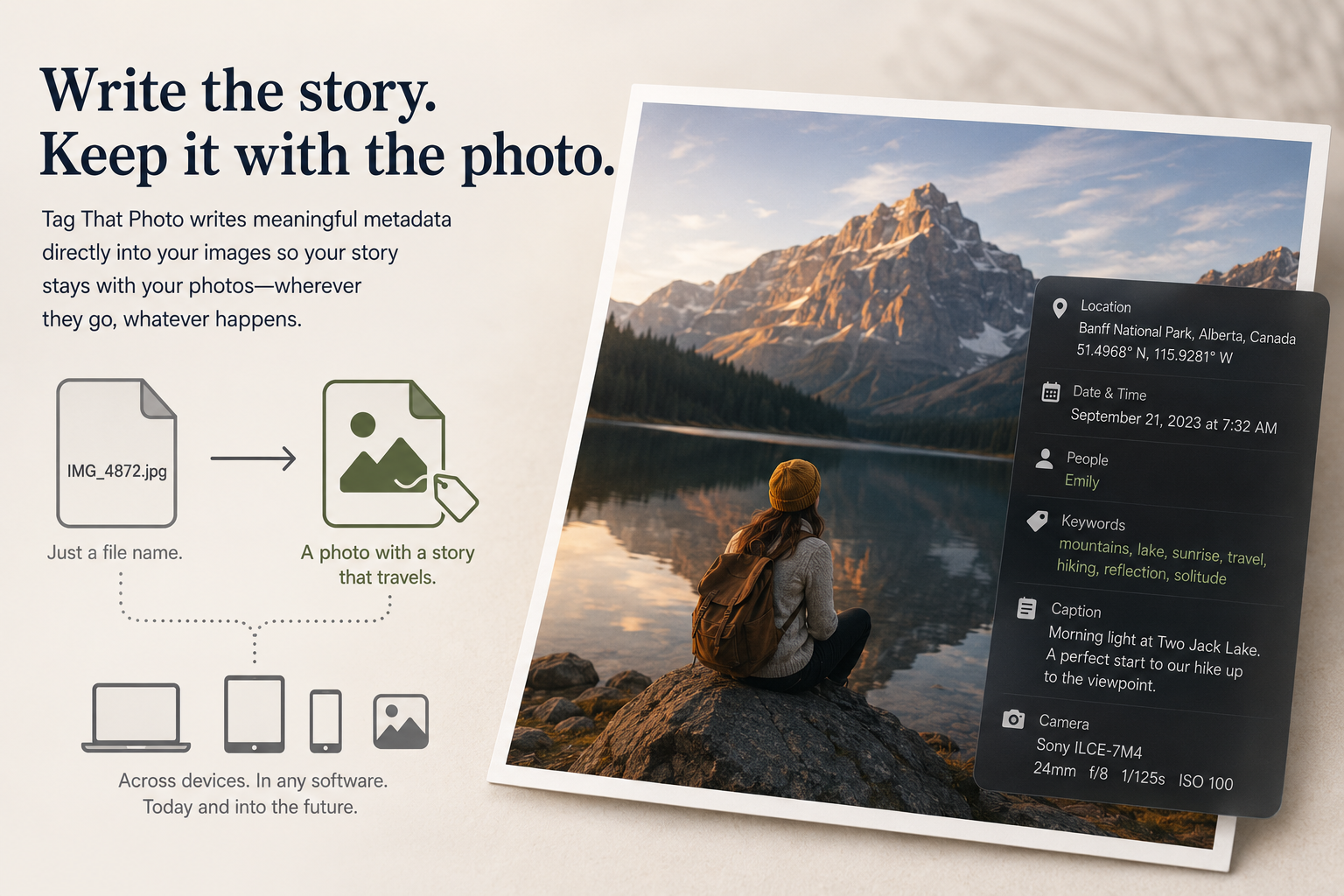
Every photo tells a story. But a story buried inside a file named IMG_4872.jpg is a story waiting to be lost. The solution isn’t just to rename your files or organize them into folders—it’s to write that story into the photograph itself, where it can travel with the image wherever it goes, survive across devices, and be read by any software that understands the language of image metadata.
Tag That Photo was built from the ground up to speak that language fluently. Here is a look at how.
What Is Photo Metadata — and Why Should You Care?
Think of metadata as the invisible label on every photograph you own. It’s the structured information embedded directly in the image file: who is in the photo, where it was taken, when it was captured, what camera was used, and any descriptive notes or tags you’ve added. When metadata is rich and well-formed, a photo isn’t just a picture—it’s a documented moment in time.
For families, this matters enormously. A photo of a great-grandmother taken in 1922 means something very different when it carries her name, her hometown, and a caption about the occasion. Without that embedded context, the image is merely an old photograph. With it, it becomes a piece of family history.
Tag That Photo is designed to create and preserve exactly that kind of context—and to do it in a way that’s durable, standards-compliant, and compatible with the wider world of photo software.
Standards You Can Trust: EXIF, IPTC, and XMP
Metadata compatibility is only as good as the standards it follows. Proprietary formats lock your data into a single application; open standards ensure your information survives software changes, platform migrations, and the test of time.
Tag That Photo writes metadata using the three most widely recognized open standards in the photography world:
- EXIF: This is the low-level format that cameras use to record technical information (date, GPS coordinates, camera make/model, orientation). EXIF data is read by virtually every photo viewer and mobile device on the planet.
- IPTC: A structured standard developed by the International Press Telecommunications Council, widely used for title, description, keywords, and location fields.
- XMP: Adobe’s Extensible Metadata Platform, which uses XML to store rich, structured data including face regions, copyright, author information, and more.
Rather than forcing you to choose, Tag That Photo writes to all three simultaneously. When you add a caption, that caption goes into XMP-dc:Description and IPTC:Caption-Abstract. Similarly, when you tag a GPS location, the coordinates land in both EXIF and XMP. This redundancy isn’t sloppiness—it’s insurance. No matter which application opens your photo next, the information is there.
Face Tagging That Travels With Your Photos
One of the most powerful features in Tag That Photo is face region tagging: the ability to draw a box around a person’s face and associate it with their name. But the real question isn’t whether you can tag faces—it’s whether those tags will still be readable five years from now, in a different application, on a different operating system.
Tag That Photo supports all three major face region metadata standards simultaneously:
- MWG (Metadata Working Group): The most widely supported standard, used by applications like DigiKam and Lightroom. Coordinates are stored as normalized center-point values relative to image dimensions.
- Microsoft Photo Gallery (MP): The format historically used by Windows Photo Gallery and compatible tools, which uses top-left corner coordinates.
- IPTC Extension: An emerging standard from the IPTC body, storing face regions as structured image region objects with boundary definitions.
When you tag a face in Tag That Photo, the name and coordinates are written into all three formats at once. When another application opens the file, it will find the face data in whichever format it understands best. Furthermore, when reading face data back in, Tag That Photo intelligently prioritizes the most authoritative source (MWG first, then Microsoft MP, then IPTC) to prevent duplication from mixed-format files.
This capability also extends to the PersonInImage tag—a simple, flat list of all person names in the photo. This ensures that even applications without spatial face regions can still discover who is in the picture from this fundamental tag.
Family History–Grade Metadata Support
Tag That Photo actively supports the recommendations of the Family History Metadata Working Group (FHMWG), a collaborative body focused specifically on preserving family history information in digital images. The FHMWG identifies key metadata areas that matter most to family historians: names, dates, locations, events, and captions.
This attention to detail means Tag That Photo handles common archiving challenges that general-purpose software overlooks:
- Year-Only Dates: Historical photos are often labeled only by year (e.g., “1922”). Tag That Photo parses these four-digit year strings into a concrete, but appropriately ambiguous date value. It applies equivalence rules to prevent false conflicts when different applications normalize that year differently.
- Structured Location Data: Instead of relying on simple flat tags, the software reads and writes location information using the structured IPTC Extension
LocationShownobject. This richer format captures City, State/Province, Country, Sublocation, and a free-form Location Name (perfect for venue names like “Abraham Lincoln’s House”) all in one cohesive block. This approach is robust and future-proof, while maintaining backward compatibility by falling back to flat tags when structured data isn’t present.
Smart Import: Merging Without Destroying
The challenge of metadata management often comes during the import merge: what happens when a photo arrives with embedded metadata, but your library database already holds conflicting or different information?
Tag That Photo uses a carefully considered set of merge rules designed to preserve your existing work while intelligently capturing useful incoming data. These include:
- Keywords: Keywords in the file are always added to your library (unioned), but keywords you have manually entered in Tag That Photo are never removed, even if they are absent from the file’s metadata.
- Text Fields: Title, description, author, and copyright follow a “fill the blanks” strategy: If the database field is empty, it is populated from the file’s metadata. If you have already entered information, your entry is treated as authoritative and preserved.
- Conflicting Dates: Date conflicts are never silently overwritten; they are flagged as discrepancies in the User Interface for mandatory review and resolution.
- Face Names: Face names found in metadata are matched against your existing people database using fuzzy name matching at a 0.90 similarity threshold. This ensures “John Smith” correctly matches “Jon Smith,” preventing duplicates. The system also applies special handling for generational suffixes (e.g., “Bill Thompson Sr.” vs. “Bill Thompson Jr.”).
The result is an import process that is both intelligent and safe: you gain data from your files without losing the context and effort you’ve already invested.
Non-Embedded Mode: Your Originals, Untouched
For photographers, archivists, or anyone who values file integrity, Tag That Photo offers a Non-Embedded Metadata Mode. When this mode is enabled, the software never modifies your original image files. Instead, metadata is written to XMP sidecar files that sit alongside your images.
This guarantees that your RAW files, JPEGs, TIFFs, and HEICs remain byte-for-byte identical to how they left your camera or scanner—essential when a workflow requires untouched originals.
- Sync Mode: In the default Sync Mode, Tag That Photo writes embedded metadata for compatible formats so GPS, date, title, and description fields remain broadly readable by common viewers.
- Non-Embedded Mode: By contrast, in Non-Embedded Mode, originals are left completely untouched, and all new metadata is written to sidecar files by design.
Multilingual Metadata That Survives Real-World Workflows
Family archives are often multilingual, and metadata must preserve that reality. Tag That Photo handles this by using UTF-8-aware handling across EXIF, IPTC, and XMP paths (including IPTC character set tagging). This ensures that non-Latin text is preserved in practical workflows, including names, titles, descriptions, and keywords containing accented Latin, CJK, and other Unicode scripts—across all standards for maximum interoperability.
Performance and Reliability Built for Large Libraries
Metadata processing at scale requires more than correctness—it demands efficiency and resilience. Tag That Photo uses ExifTool as its metadata engine, recognized globally as the gold standard for reading and writing image data across hundreds of formats.
To ensure maximum speed and stability:
- Persistent Sessions: The software uses a persistent ExifTool session approach for write jobs, making updates—even in large batches—fast and consistent by reducing process startup overhead.
- Cached Reads: Metadata reads are cached per file path, meaning that opening the same photo multiple times during one session does not trigger repeated disk reads.
- Dirty Tracking System (Writes): Writes are meticulously controlled by a dirty tracking system. Every metadata section (face regions, keywords, GPS, dates, etc.) is individually flagged when it changes. Only the sections that have actually changed are written back to disk—eliminating unnecessary rewrites and wasted time.
Metadata You Can Trust for Generations
The digital photo archive you build today will be read by software that doesn’t exist yet, on devices that haven’t been invented, or by family members who aren’t born. The only way to ensure your photos carry their stories forward is to embed that information using open, well-documented standards—and to do it correctly.
Tag That Photo was built for exactly this purpose. It understands the complex metadata standards, handles edge cases, merges data intelligently, and gives you the control to decide how your files are managed. Whether you’re tagging faces in a box of old family photos, organizing a lifetime of vacation pictures, or building a research archive, Tag That Photo treats your metadata with the care it deserves.
Because a photograph is only as meaningful as the story it carries with it.
Tag That Photo supports EXIF, IPTC, XMP, MWG face regions, IPTC Extension face regions, Microsoft Photo Gallery face regions, Family History Metadata Working Group (FHMWG) recommendations, and XMP sidecar files for RAW, JPEG, TIFF, HEIC, and PNG formats.